.svg)

.svg)
%201.svg)


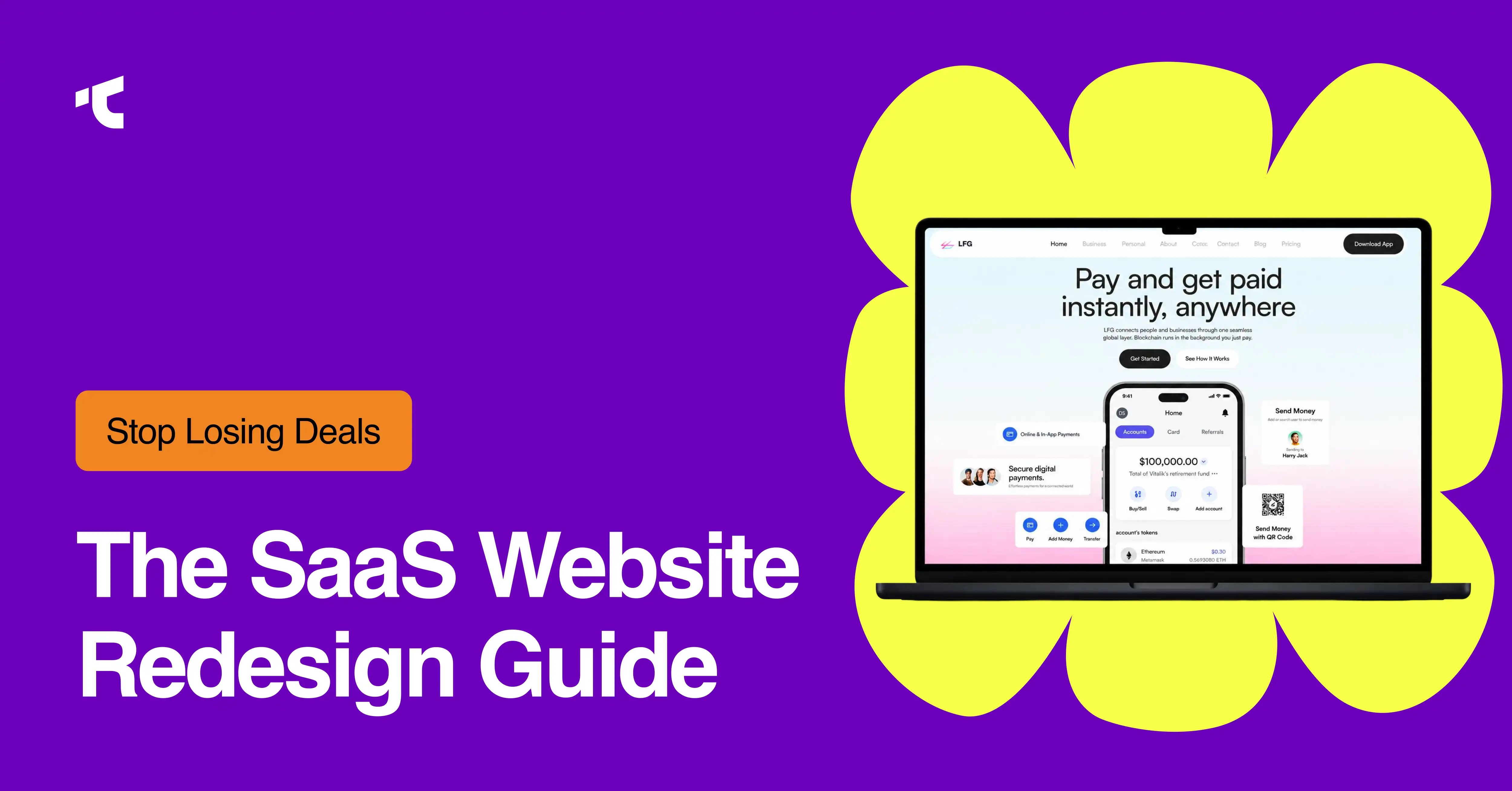
SaaS website redesign isn't just a facelift; it's a complete rebuilding of your design architecture, information structure, messaging framework, and conversion pathways to turn passive visitors into a qualified pipeline. Whether you're a bootstrapped startup or an enterprise scaling globally, the difference between a site that converts and one that repels can mean millions in annual recurring revenue.
Your SaaS website has exactly 10 seconds to earn a visitor's trust, and if you're reading this, those seconds are probably ticking away on an outdated, underperforming site that's silently killing your pipeline.
Here's the hard truth: The average website converts just 2.35% of visitors in 2026, according to Contentsquare's analysis of 46 billion sessions. Even SaaS landing pages, built specifically to convert, only achieve a 3.8% median conversion rate per Unbounce's latest benchmark data. Every day your site stays live with slow load times, muddy messaging, or broken conversion paths, you're leaving demos, signups, and revenue on the table.
And the cost of inaction? It's far greater than the investment required to fix it.
This comprehensive guide covers everything you need to know:
- 10 redesign signals that indicate your site is hemorrhaging conversions
- 2026 cost ranges spanning $15,000 to $150,000+ (and what determines your price)
- The 6-step redesign process that top SaaS companies follow
- 7 conversion best practices backed by real performance data
- 3 SaaS website types and which one matches your business model
- The composable architecture advantage and why it's the future of SaaS web design
Whether you're preparing for a growth round, launching a new product line, or simply tired of watching competitors out-engage you, this guide will help you diagnose, plan, and execute a website redesign that actually moves the needle.
Let's dive in.
What are the signs that your SaaS website needs a redesign?
SaaS Websites need a redesign when conversion rates fall, the design looks outdated, bounce rates climb past the 35 to 55% SaaS range, and performance lags competitors. 10 measurable signals confirm the need, ranging from outdated visuals to direct competitive disadvantage.
Here are 10 signs to redesign your SaaS website:
1. Outdated Visual Design
Outdated visual design makes your SaaS look neglected, especially when buyers are comparing 3 to 5 vendors side-by-side. Flat layouts, generic stock photos, and old-school styling from 2015 lower how prospects perceive your product quality. And that pushes them straight toward competitors with fresher, more modern interfaces.
2. Poor User Experience (UX)
Poor UX forces visitors to search for basic things like pricing, demos, and product features. When navigation is confusing, common ux mistakes - CTAs are buried, and information is hard to find, you add friction at every step. And friction kills conversions; each extra click drops more potential customers.
If your users can't find what they need quickly, your website is telling you something: it's time for a redesign.
3. Decreasing Conversion Rates
When your conversion rates keep dropping, it means your funnel is out of sync. Most SaaS sites convert visitors to free trials at around 1.5 to 2.5%. But a well-designed site with clear messaging and strong social proof can push that number to 3.5–6% (according to Gridrebels analysis). If your numbers are stuck at the bottom, your website is underperforming—and it's costing you revenue.
4. High Bounce Rate and Low Engagement
If your bounce rate sits above the typical 35–55% range for SaaS sites (per GA4 benchmarks), that's a warning sign. It means visitors aren't finding what they expected. Short sessions, low scroll depth, and single-page visits all point to one thing: your messaging isn't holding their attention. And if you can't keep them engaged, you can't convert them.
5. Limited Customization and Scalability
When your CMS is too rigid, your marketing team can't launch new pages without begging engineering for help. Every content change turns into a developer ticket. That slows down campaigns, kills momentum, and makes it nearly impossible to scale your marketing efforts. If your team feels stuck, your platform is the problem.
6. Restrictive Tech Stack
A restrictive tech stack locks you into one vendor and one frontend. That means you can't adopt best-of-breed tools that could improve your site. Monolithic platforms might seem easier upfront, but they raise long-term maintenance costs and make it harder to adapt as you grow. Flexibility matters—and if you don't have it, you're falling behind.
7. Poor Website Performance
Slow websites cost you conversions. Every 1-second delay in load time cuts conversion rates by 7–12%. And here's a staggering stat: 53% of mobile users abandon pages that take more than 3 seconds to load. If your site feels sluggish, visitors won't wait around; they'll leave and never come back.
8. Inconsistent Branding Across Pages
Inconsistent branding erodes trust fast. When your homepage, pricing page, and product pages use mismatched colors, fonts, or tone (saas brand identity), it makes your company look fragmented. Enterprise buyers notice these inconsistencies—and they question whether your product is as polished as your pitch. A unified brand experience isn't optional; it's essential.
9. Product-Website Misalignment
When your live product looks completely different from your marketing site, buyers get confused. Outdated screenshots and missing features create a credibility gap right when prospects are evaluating you. If what you show doesn't match what you deliver, trust breaks down, and so do deals.
10. Competitive Disadvantage
Your competitors are shipping clearer messaging and faster sites every day. And buyers are comparing 3 to 5 SaaS vendors side by side before making a decision. The one that explains value fastest and looks most professional usually wins. If your site can't keep up, you're handing leads to your competitors on a silver platter.
How much does a SaaS website redesign cost?
SaaS website redesign agencies charge starting from $3,000/month, freelancers start from $500, and more complex custom design starts from $9,000/month. The number depends on what you actually need, not on a fixed industry rate.
Here is how the cost breaks down by approach:
What are the steps in a SaaS website redesign process?
SaaS website redesign follows 6 sequential steps: discovery workshop, design vignettes, design system, component development, CMS development, and enablement. Each step builds reusable assets, moving from strategy to a launch-ready, scalable site.
1. Discovery Workshop
Define one primary conversion goal, pull 12 months of analytics for a baseline, and map buyer roles with the questions each role asks. This step replaces "make it modern" with a measurable success metric.
2. Design Vignettes
Design 3 to 5 key page concepts to test visual direction before the full build. Vignettes validate layout, hierarchy, and tone early and cut expensive late-stage revisions.
3. Design System (Atomic Design)
Build atoms, molecules, and organisms into a single reusable system. Atomic design enforces consistency across every page and speeds future page creation.
4. Component Development
Develop the design system into coded, reusable components. Componentization keeps the codebase maintainable and lets developers assemble new pages from existing blocks.
5. CMS Development
Build a CMS structure that lets marketers edit, publish, and launch pages without developer tickets. CMS development converts the site into a self-serve marketing tool.
6. Enablement and Training
Train the marketing and content team to own the CMS, components, and design system. Enablement protects the investment and sustains site velocity after launch.
How long does a SaaS website redesign take?
A SaaS website redesign takes 12 to 16 weeks for most B2B sites in 2026. Strategy-led redesigns finish in 10 to 14 weeks, while complex enterprise platforms with custom integrations and content migration take 4 to 6 months. Add a 20% buffer per phase for revisions.
The timeline splits into six phases: discovery and strategy (weeks 1 to 2), information architecture and wireframing (weeks 3 to 4), visual design (weeks 4 to 7), development (weeks 6 to 12), testing and QA (weeks 12 to 14), then launch and post-launch optimization (weeks 14 to 16+). Content migration volume and integration count drive the largest schedule swings, so enterprise sites with 30,000+ pages extend toward the 6-month end.
What are the best practices for redesigning a SaaS website?
7 best practices drive SaaS redesign conversions: user-centric design, engaging creative elements, page consistency, mobile-first design, clear CTAs, SEO preservation, and data-driven decisions. These practices align the site with buyer intent and protect rankings through migration.
Here are the 7 SaaS redesign best practices that drive conversions:
1. User-Centric Design
Structure every page around buyer goals and decision stages. Copy written at a 5th–7th grade reading level converts at 12.9%, versus 2.1% for professional-level copy (Unbounce).
2. Engaging Creative Elements
Use product visuals, motion, and interactive demos to show the product, not describe it. Pages with fewer than 10 elements convert at roughly twice the rate of pages with 40+ elements.
3. Consistency Across Pages
Apply one design system across the homepage, pricing, and product pages. Consistent components and tone reinforce trust during a multi-page enterprise evaluation.
4. Mobile-First Approach
Design for thumb-sized targets, vertical scrolling, and fast mobile loads first. Mobile drives 79% of SaaS landing page visits (Unbounce), making mobile the primary canvas.
5. Clear CTAs and Conversion Paths
Place one primary CTA per page and remove competing actions. Personalized CTAs convert 202% better than generic CTAs (HubSpot).
6. SEO Preservation
Map redirects, preserve metadata, and protect site architecture before launch. A mishandled migration cuts organic traffic 30–40% in the first 90 days (Google Search Central).
7. Data-Driven Decision Making
Run one-page, one-channel, 4 to 6 week test sprints tied to pipeline metrics. Data-driven testing replaces opinion with measured conversion lift.
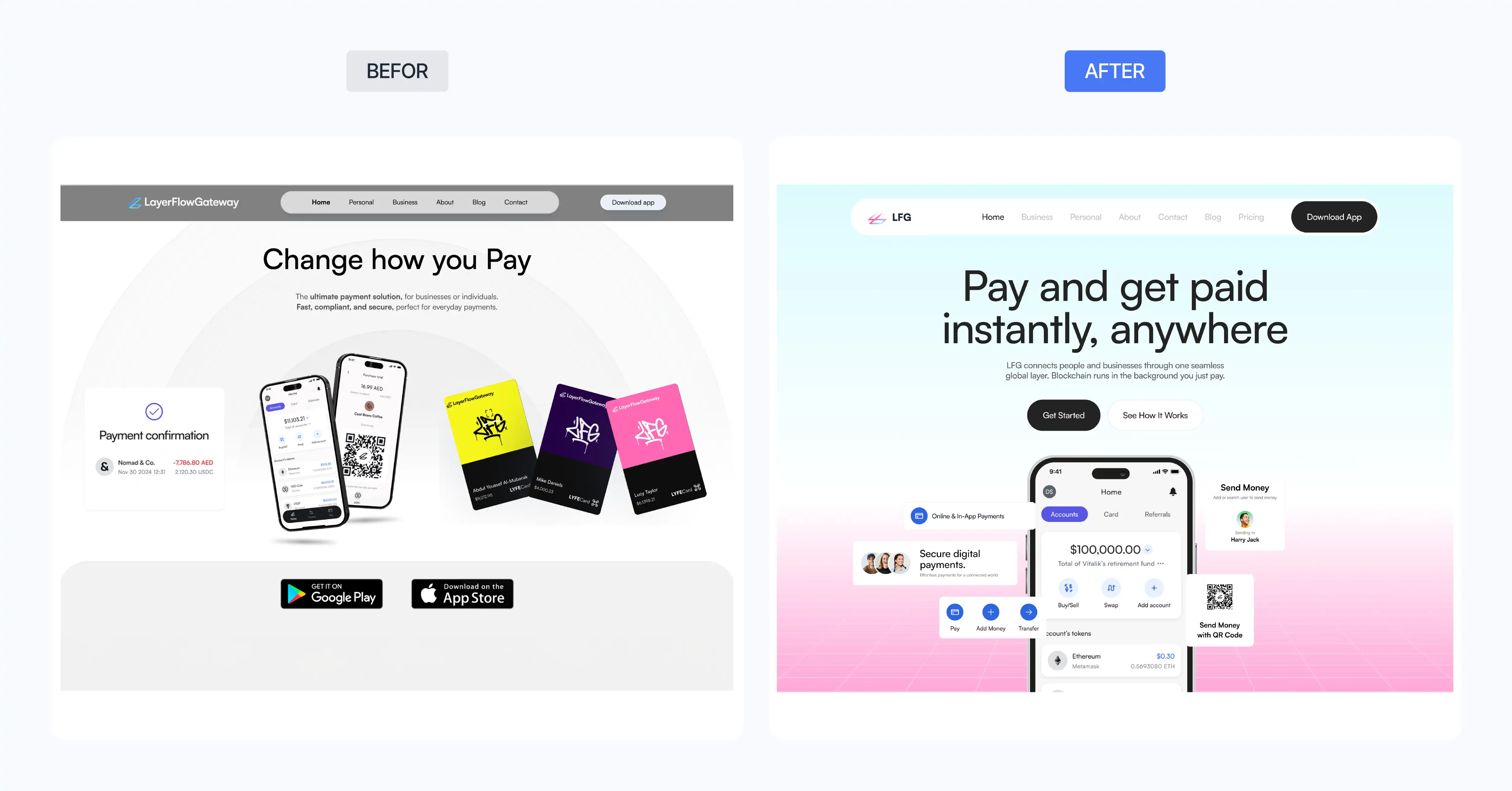
What do SaaS website redesigns look like before and after?
SaaS redesign before-and-after shows measurable conversion lift, not only visual polish. Professional SaaS redesigns typically deliver 30%+ conversion improvements (DesignRevision), lower bounce rates, and clearer positioning. The strongest examples pair a modernized interface with a documented metric change across demos, signups, and pipeline.
Here is our own SaaS redesign example:
What is user-centric design in SaaS websites?
User-centric design in SaaS websites structures every page around buyer roles, questions, and decision stages. The method maps personas, prioritizes the primary conversion action, and removes friction. Simplified copy proves the point: pages at a 5th–7th grade reading level convert at 12.9% versus 2.1% for complex copy (Unbounce).
User-centric design rests on four practices. Research maps the jobs-to-be-done for each buyer role, from individual contributor to enterprise decision-maker. Prioritization gives every page one primary action and demotes secondary links. Clarity rewrites complex feature language into outcome-focused copy that a skimming buyer understands in seconds. Accessibility meets WCAG contrast, keyboard, and screen-reader standards so every visitor completes the conversion path.
What are the different types of SaaS websites?
3 types of SaaS websites exist: product-focused, service-centric, and hybrid. Product-focused sites center on features and self-serve trials, service-centric sites prioritize demos and sales contact, and hybrid sites combine self-serve signup with a sales-assisted enterprise path.
1. Product-Focused SaaS Websites
Product-focused SaaS websites lead with features, screenshots, and free-trial or self-serve signup. This type fits product-led growth (PLG) companies where low-friction signup is the primary conversion event.
2. Service-Centric SaaS Websites
Service-centric SaaS websites lead with demo requests, consultations, and sales contacts. This type fits sales-led enterprise software with longer cycles and higher contract values.
3. Hybrid SaaS Websites
Hybrid SaaS websites combine a self-serve trial for smaller teams with a "Talk to sales" path for enterprise buyers. This type fits companies running both PLG and sales-led motions at once.
Should you hire an agency for a SaaS website redesign?
Yes, if your website is a primary revenue channel, hire an agency.
Here is the honest breakdown of your 3 options:
A freelancer works for quick fixes, single landing pages, and low-risk refreshes. You get one skill set, usually design or development, rarely both. If the project is small and the stakes are low, a freelancer gets it done.
An agency brings UX research, design, development, and project management under one roof. You get a full team working in parallel, which means faster delivery, fewer gaps, and someone accountable for the outcome. This is the right fit for a full site redesign where the website directly drives demos and signups.
For complex integrations, advanced motion design, and enterprise-level builds, a custom-code agency is the right call. The investment is higher, but so is the output.
What about building in-house?
A senior product designer costs $150,000–$180,000 per year in salary alone before benefits, tools, and management overhead. An in-house team makes sense only when redesigns run continuously and long-term. For a one-time or annual redesign, an agency delivers better expertise, faster turnaround, and clearer accountability at a fraction of the cost.
Conclusion
Your SaaS website is either winning deals or losing them. There is no middle ground.
The signals are measurable: falling conversions, bounce rates past 55%, slow load times, and a site that no longer reflects your product. The fix is clear: a structured redesign that rebuilds design, messaging, and conversion paths from the ground up.
Most SaaS teams start somewhere between $3,000 and $50,000. The timeline runs 12 to 16 weeks. The results, 30%+ conversion improvements, speak for themselves.
The method is repeatable: a 6-step process, 7 conversion best practices, and a user-centric design built on real buyer research.
If any of the 10 signs in this guide sound familiar, your site is already costing you pipeline. Book a discovery workshop, and we will map the path from your current baseline to a measurable lift.



.avif)